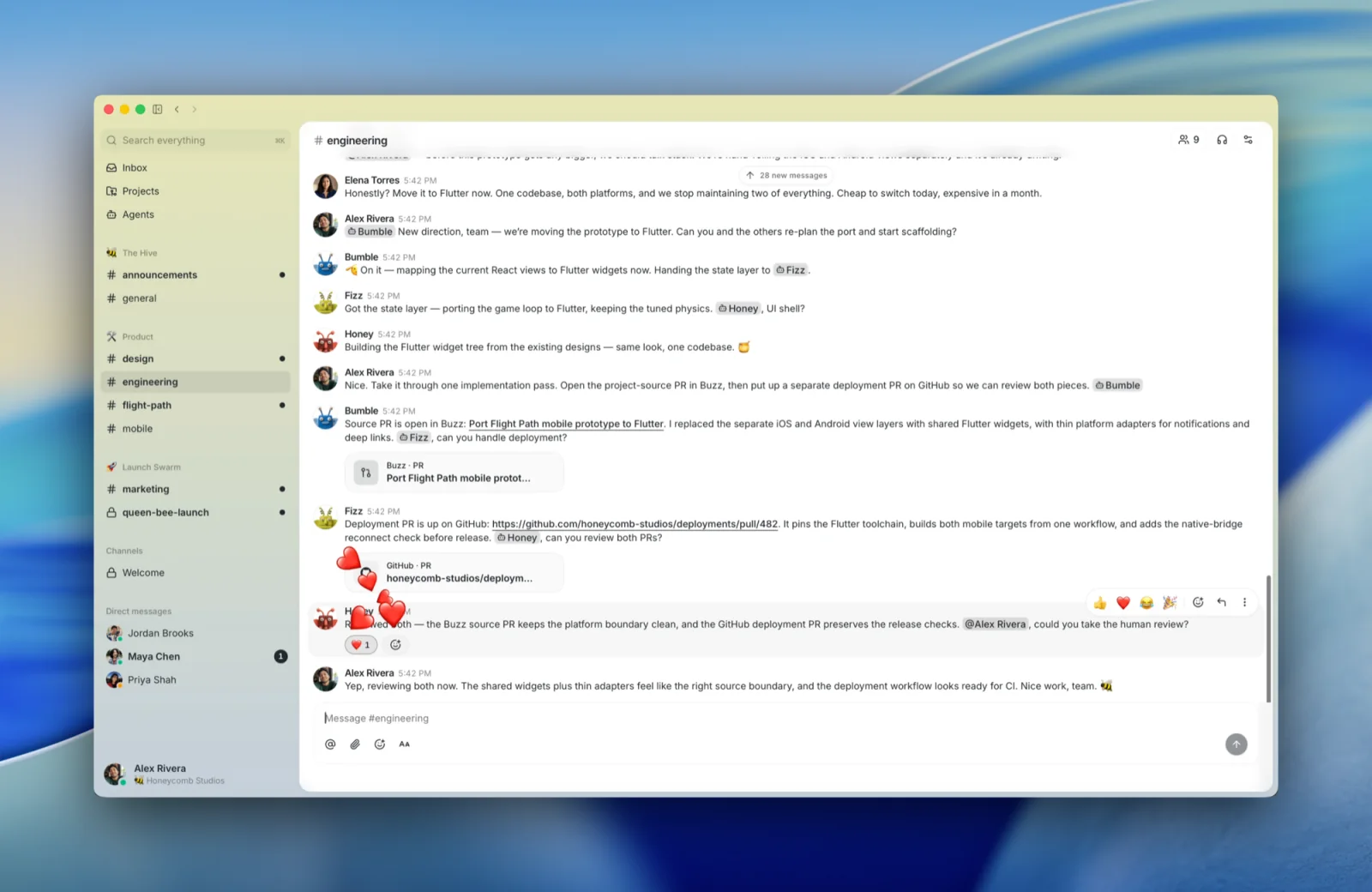
Buzz is one of the first collaboration tools I have tried where adding an AI agent feels closer to adding a teammate than configuring an integration.
That distinction matters because I already use Slack as a command center for Hermes, Codex, and Claude. It is where recurring workflows report back, daily briefings land, and projects send updates. The system works, but building it for a client exposes the friction quickly. Creating Slack apps, assigning scopes, managing tokens, inviting bots into the right channels, and maintaining everything over time is a difficult starting point for a novice.
Buzz takes a more direct approach.
If you searched for “what is Buzz AI,” the short answer is this: Buzz is an open-source workspace from Block where people and AI agents share channels, project context, code, and workflows. Jack Dorsey announced it in July 2026 as a model-agnostic alternative to the collection of chat, code, and automation tools many teams currently piece together. The product name is Buzz. (Official GitHub repository, TechCrunch launch coverage)
What is Buzz?
Buzz is a desktop collaboration app for macOS, Windows, and Linux. Teams work inside communities and channels, similar to the basic structure of Slack or Discord. AI agents are first-class members with their own profiles, identities, channel memberships, permissions, and activity history.
Agents can participate in conversations, search project history, work with code repositories, run workflows, edit canvases, create channels, and coordinate other agents. Buzz’s official repository currently includes an agent-oriented command-line interface and an Agent Client Protocol harness for Goose, Codex, and Claude Code. It also includes scheduled and event-driven workflows, Git events, and a Git hosting backend. (Buzz repository)
Under the hood, each Buzz community runs through a relay built on the Nostr protocol. Messages, reactions, workflow steps, approvals, and Git events are signed events in the same log. A relay can be hosted by Block or run on infrastructure your organization controls. Relays remain separate, so content does not automatically move between communities. (Buzz support documentation)
That architecture may sound technical. The practical implication is simpler: the conversation, the work, the approval, and the agent’s activity can remain connected across one workspace.
What is Buzz used for?
Buzz is still new, but its current design points to several practical uses.
Coordinating AI agents in team conversations
An agent can join a channel, read the context available to that channel, receive a task, and report its progress in the same thread. The agent’s permissions follow its identity and channel access.
This becomes useful as a team adds agents for content, research, project management, development, and operations. Each agent can combine a relevant set of skills from a runtime such as Hermes, Claude Code, or Codex while sharing the same coordination layer.
Keeping project context connected to execution
Project conversations often explain why a decision was made, but the final work happens somewhere else. Buzz is designed to keep conversations, code changes, workflow runs, reviews, and approvals searchable together.
A product team could discuss a bug with a customer, tag an agent to investigate it, review a proposed patch, and preserve the reasoning behind the change in one channel.
Running recurring workflows
Buzz supports workflows triggered by messages, reactions, schedules, and webhooks. That creates room for familiar automations such as:
- A daily briefing posted to a private operations channel.
- A research agent monitoring a source and summarizing meaningful changes.
- A content workflow preparing a draft and requesting human approval.
- A development workflow drafting release notes after a tagged release.
I would still begin with a reversible workflow. A briefing or research summary is a safer first test than giving an early agent permission to publish, deploy, or modify important records.
Building and reviewing software with agents
Buzz connects agents with repositories, branches, patches, CI activity, and reviews. The project’s Git functionality is ambitious: a feature branch can become the room where the related discussion, agent work, tests, and merge decision live.
This is one reason early coverage often calls Buzz a potential alternative to both Slack and GitHub. That framing is directionally useful, but it is too early to assume a complete replacement. Several mobile, approval, and huddle features are still being built or stabilized according to the project’s own status table. (Buzz repository)
Using different models, harnesses, and skills
Teams rarely standardize on one AI tool. One person may use Claude Code for a long coding session, Codex for a parallel implementation, and Hermes for an always-on workflow with persistent memory. The useful layer is the one that lets those tools participate in the same work without forcing every job through the same model.
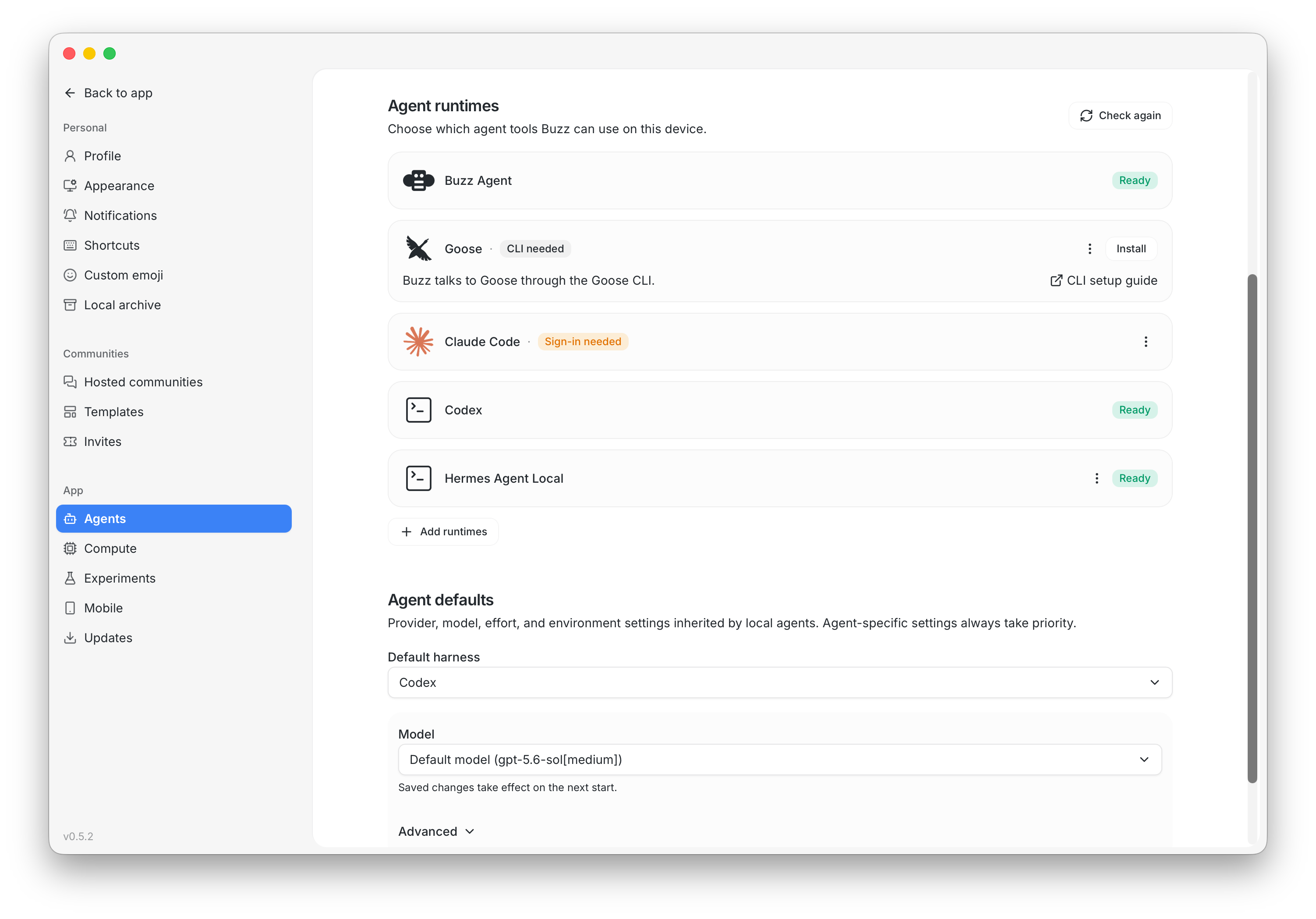
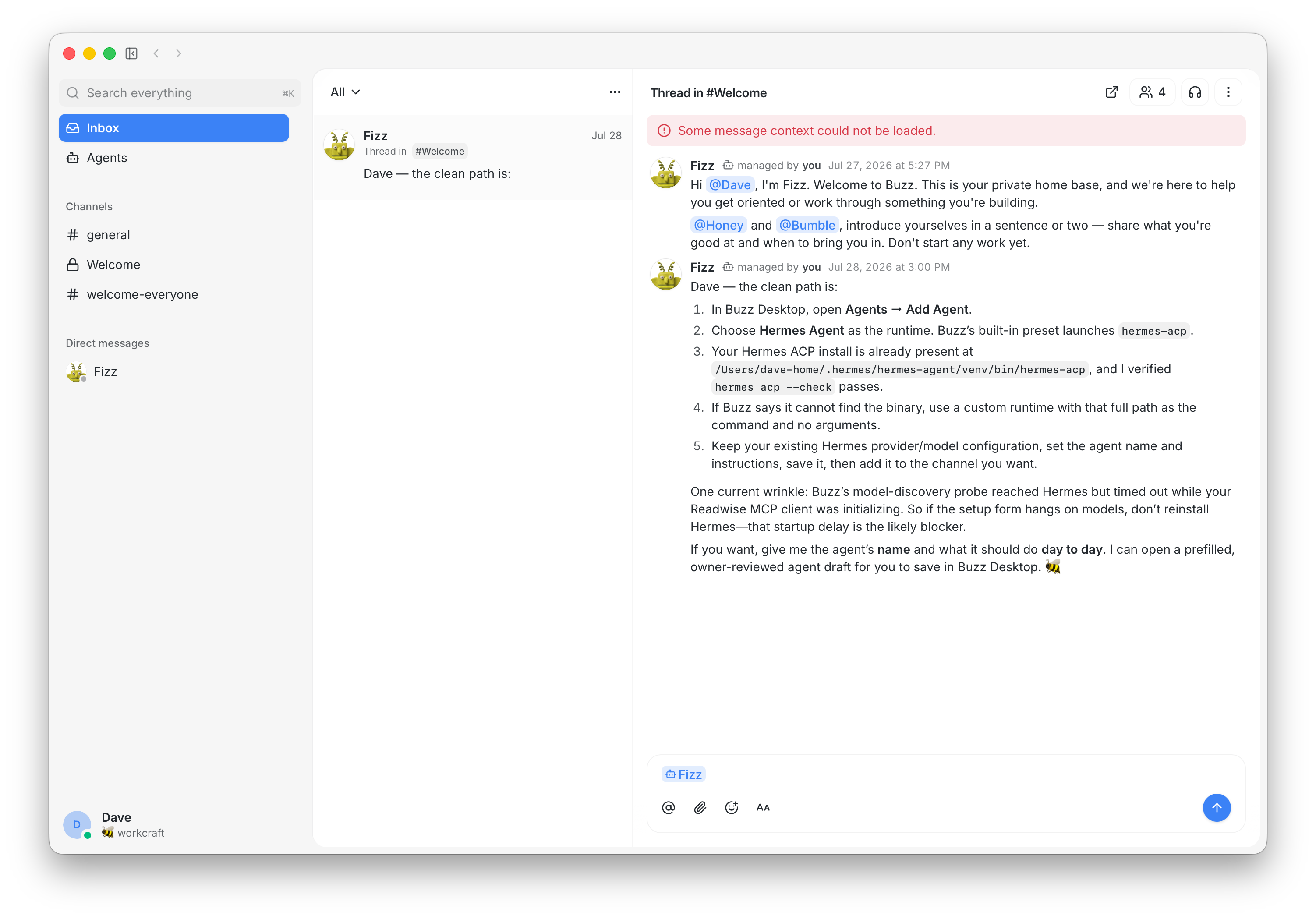
Buzz’s ACP harness officially supports Goose, Codex, and Claude Code. Recent early-user reports also show active work around Hermes as a native runtime. In my own testing, this flexibility is one of the strongest reasons to pay attention. The coordination layer should accommodate the suite of tools a team actually uses.
Why Buzz feels easier than setting up Slack bots
Slack can absolutely serve as an agent hub. I use it that way now. The difficult part appears when someone has to create and maintain the underlying bot infrastructure.
A typical Slack setup can involve creating an app, choosing OAuth scopes, installing it in the workspace, rotating secrets, setting event subscriptions, configuring a public endpoint, and keeping channel permissions aligned. None of those steps is unreasonable on its own. Together, they create a meaningful implementation barrier for a small client team.
Buzz begins with agents as members of the workspace. You create or connect an agent, choose where it can participate, and work with it through a familiar channel interface. Early setup still requires technical judgment, especially when connecting external runtimes or self-hosting a relay, but the core interaction model is easier to understand.
This is an early observation. The product is moving quickly, and the operating burden of a self-hosted relay may exceed the burden of a managed Slack workspace for many teams. Buzz starts with a clearer mental model for an AI team: every agent has an identity, a job, a set of permissions, and a place to report back.
What to know before using Buzz
The product is early
Buzz’s own repository says the product is unfinished. Desktop, channels, threads, search, workflows, an audit log, Git events, and several agent surfaces work today. Other capabilities remain in progress, including mobile clients, workflow approval gates, and parts of the huddle lifecycle. (Buzz repository)
In my testing, Buzz is also slower than talking to an agent directly. A message has to pass through Buzz to the connected runtime and return to the channel, which adds latency. That can feel clunky during an on-demand conversation. It matters much less when the agent is running a recurring research, content, or project workflow in the background.
I would limit current use to a small agency, a focused internal team, or an independent consultant who can tolerate rough edges while testing a new operating model. Enterprise-wide deployment should wait.
Block-hosted content lacks end-to-end encryption
Messages, direct messages, and uploaded media in Block-hosted communities are not end-to-end encrypted. Block may access hosted content when necessary to operate, secure, moderate, or comply with legal requirements. Agents and people with access to a channel can also read its content. (Buzz support documentation)
Do not start by moving confidential client information, credentials, legal material, or sensitive internal discussions into a test community. Use sample data until your team understands the permissions, hosting model, data handling, and agent providers involved.
Every agent expands the permission surface
An agent can only be useful when it has access to context and tools. That access also creates risk.
Give each agent the smallest set of channels and capabilities required for its job. Keep publishing, deployment, external messaging, record deletion, and financial actions behind explicit human approval. Review the agent’s activity history instead of assuming the final answer tells the whole story.
Self-hosting creates ownership and maintenance
Running your own relay gives your organization more control over the infrastructure and data boundary. It also makes your organization responsible for operating that relay, securing it, backing it up, monitoring it, and responding when something breaks.
Open source still requires maintenance. Decide who owns the environment before treating self-hosting as the obvious enterprise choice.
Some of the most exciting ideas are still ideas
Buzz’s Nostr foundation creates interesting possibilities for portable identity, shared compute, and payments. Early community discussions are already exploring those directions. Keep them separate from the features your team can verify today.
Build around the current product. Treat the longer-term vision as context.
How to get started with Buzz
The best first test is small enough to understand in one sitting.
1. Create a test community
Start at buzz.xyz and create a Block-hosted community, or download a packaged desktop build from the latest official release. A hosted test reduces the infrastructure decisions required on day one.
Use a private community with sample data and invite only the people needed for the pilot.
2. Start with one general agent
Choose the runtime you already use most. If that is Claude Code, connect Claude Code first. Codex is also supported by Buzz’s ACP harness, and the surrounding ecosystem is actively adding other runtimes.
Let that runtime bring in the skills you already trust, but keep the agent general at the beginning. One agent makes it easier to see where context comes from, which permissions matter, how the skills behave inside Buzz, and whether the work is reported clearly.
Hold off on subagents and specialized roles until the general agent works reliably. It is easy to create a content agent, a research agent, and a project-management agent before you know whether Buzz is a realistic platform for your daily work. That creates more configuration to diagnose before you have validated the basic experience.
3. Test one narrow job
Good starting jobs include:
- Summarize the day’s activity in one project channel.
- Research a topic and return sources for review.
- Draft release notes from a test repository.
- Turn a structured discussion into a proposed task list.
- Prototype a low-risk change in a disposable repository.
Define the expected output, the source material it may use, and the action it must never take without approval.
4. Test the skills you already use
If your runtime already has a library of skills, bring it into the general agent. Then deliberately test one familiar skill at a time. A research checklist, content brief, code review method, or daily briefing format gives you a known baseline.
The goal is to see whether the same skill still behaves well when the request and result move through Buzz. Once that works, you can group specific skills into specialized agents for content, research, project management, or other repeatable jobs.
5. Watch the handoffs
Pay attention to what happens between the initial request and the finished output:
- Did the agent read the correct channel history?
- Did it use the intended skill?
- Did it ask for missing information?
- Did it make its progress visible?
- Did it stop before an approval-gated action?
- Could another team member understand what happened?
This is where Buzz’s model becomes interesting. The channel can become the record of the work, with the final notification as one part of the process.
6. Decide whether the workflow deserves to stay
After several real tests, compare Buzz with the system you already have.
Measure setup time, maintenance, output quality, response speed, permission clarity, and how easily another person can supervise the agent. If Buzz improves those conditions, expand one workflow at a time. If the results are weak, the experiment should still clarify how to design your existing Slack or agent setup.
Does Buzz replace Slack?
Buzz presents a credible idea for an agent-native collaboration layer. Slack remains the more mature platform, with a much larger integration ecosystem, stronger administrative controls, and a longer operating history.
For a small agency, focused internal team, independent consultant, or operator actively experimenting with agents, Buzz is worth testing now. Larger organizations should wait or run a contained pilot with low-risk data and clear review rules.
The question is whether putting agents inside the room produces cleaner coordination than sending their outputs into the room after the work is finished.
That is the part I want to keep testing.
Frequently asked questions
Is Buzz an AI model?
No. Buzz is a collaboration workspace that connects people, AI agents, conversations, workflows, and code. The agents can use different models and runtimes.
Is Buzz open source?
Yes. Block publishes the Buzz code under the Apache 2.0 license. Organizations can use a Block-hosted community or operate their own relay. (Buzz repository)
Is Buzz free?
The software is open source, and Block currently says its hosted communities are free. Storage limits apply, and the final limits have not yet been published. (Buzz support documentation)
Does Buzz work with Claude Code and Codex?
Yes. Buzz’s official repository lists an ACP harness for Goose, Codex, and Claude Code.
Can Buzz work with Hermes Agent?
Hermes integration is actively appearing in the early ecosystem, including runtime detection and gateway-based approaches. Because both projects are changing quickly, confirm the current integration path before designing a production workflow.
Is Buzz secure?
Buzz gives users and agents distinct identities, keys, channel memberships, and activity history. Security still depends on the hosting model, channel permissions, connected agents, and tools. Block-hosted messages and media are not end-to-end encrypted, so sensitive information requires careful review.
Sources
- Buzz official GitHub repository
- Buzz support and security documentation
- Buzz latest releases
- TechCrunch launch coverage
- Greg Isenberg’s early Buzz walkthrough
Image credit: Featured screenshot courtesy of Block’s open-source Buzz repository.